
Experience funtoot Magic
Watch the funtoot product video and see our core features in action
Student Interactions, Parent Access & Teacher Portal
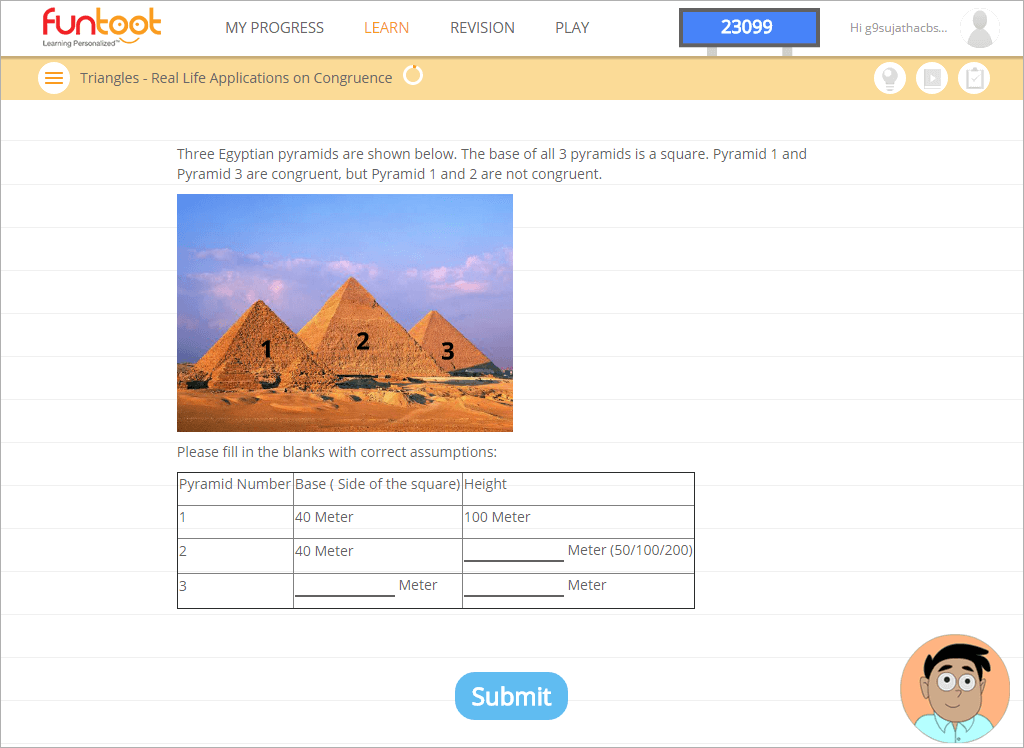
Student problem page
funtoot starts generating questions for the child after the topic and subtopic is selected. The questions are based on student’s interests, aptitude, prior performance and several other parameters. The problem page presents the question, number of attempts available, number of fundaas child has earned till date and a personal tutor who provides hints and help when child is stuck.

Contextual assistance
Assistance is provided to students based on their past performance. funtoot might start providing early assistance to a weak student (say hints after one wrong attempt) as compared to a brilliant student whom funtoot might allow up to 3 attempts before stepping in with a hint. The idea is not to discourage both set of students and at the same time building up the fundamentals.
Assistance is provided in the form of hints, tutorials and step by step solutions. The assistance pane lights up with the relevant assistance when funtoot wants to assist the student in solving the problem correctly or to give recommendations when student finishes the subtopic.

Student Dashboard
Students can access their dashboard to know more about,
- Their curriculum progress - Topic they are currently doing, recommended topics for them, and the completed topics
- Previous session highlights - No of problems attempted and solved, errors made, time spent etc. in the last funtoot session
- Performance comparison - Their performance as compared with rest of the class students
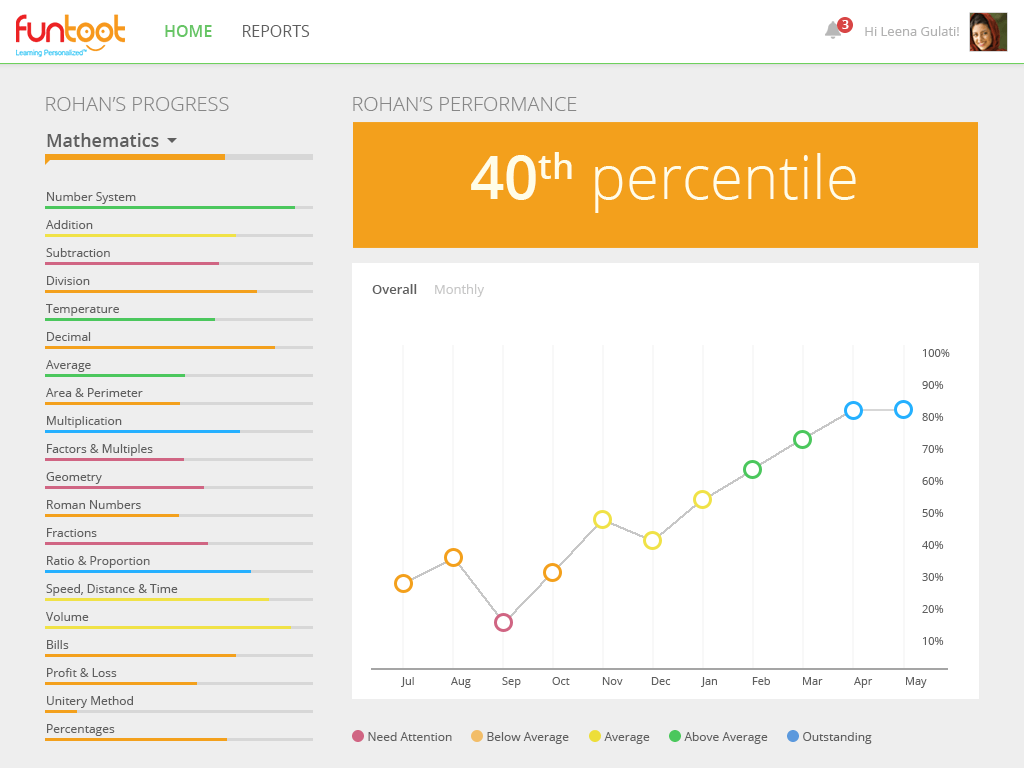
Parent Dashboard
Parents can track their child’s curriculum progress and associated learning gaps. There is also ‘question trail’ option on the curriculum progress report page. This gives access to all the questions attempted by the child in every topic and sub-topic.

Teacher Dashboard
School teachers can monitor topic wise curriculum progress, class progress (number of students who need assistance, students above average etc.), problems attempted by them and learning gaps in the class. They can also lock and unlock topics for students to access and learn. Teachers can also choose a particular student and access their performance for a particular topic.

Real-time session tracker
Session tracker is an on-demand, instantaneous progress tracker that helps teachers identify inactive students and students that need their intervention to proceed in a funtoot session.